 Lua
Lua Neovim
01The Problem: Hyperfocus Without Boundaries
I am a hyperfocus person. When I lock into a problem, hours disappear - and not always in a good way. Extended hyperfocus sessions without breaks lead to mental fatigue, decision fatigue, and diminishing returns. I knew about the Pomodoro Technique - 25 minutes of deep work, 5 minutes of rest - and I believed in the science behind it. The problem was friction.
I was using a third-party Pomodoro app. Every time I needed to check the timer or start a new session, I had to tab out of Neovim, interact with another app, and then switch back. For a hyperfocus engineer, that context switch is a concentration killer. The app that was supposed to protect my focus was itself breaking it.
The solution was obvious: bring the timer into Neovim. Keep everything in one place. Never leave the editor.
02Why Write My Own Plugin?
There are existing Neovim Pomodoro plugins. I could have installed one in five minutes. But I had two motivations that outweighed convenience.
First, I wanted to understand how Neovim plugins actually work. I had been using Neovim for years - configuring it, tuning it, living in it - but I had never built anything for it. The plugin ecosystem felt like a black box.
Second, I wanted something that was exactly mine. A plugin I understood completely, could extend freely, and had designed around my own workflow. No bloat. No features I don't need. No waiting on someone else's roadmap.
03Architecture: Pure Lua, Zero Dependencies
From day one, the design constraint was clear: no third-party dependencies. This meant building everything on top of what Neovim already ships: vim.loop (libuv), the native floating window API, and vim.notify for notifications.
The timer core lives in timer.lua and uses vim.loop.new_timer() - a libuv repeating timer that fires every second. State (remaining time, current mode, pause status) is kept in a single Lua table, making it easy to serialize and share across sessions.
04The Hardest Part: IPC Across Neovim Sessions
Software engineers rarely open just one Neovim instance. You have one for the backend, one for the frontend, one for config files. Each is an isolated process with its own Lua state.
Without synchronisation, each Neovim window would run its own independent timer - two Pomodoro clocks ticking at different times. That defeats the whole point.
The solution was Inter-Process Communication using Neovim's built-in RPC server. When the timer ticks, the primary instance broadcasts the current state to all other running Neovim instances - every window stays in sync. Getting this right required careful handling: discovering instances via $NVIM environment variables and socket paths, managing dropped connections, and avoiding duplicate timer ownership.
05Features & Keymaps
- Focus / Short Break / Long Break sessions with automatic cycling
- Big-digit clock rendered in Unicode block characters, colour-animated every second
- Per-session tab colours (red Focus · green Short Break · blue Long Break)
- Pause & Resume - picks up exactly where you left off
- Milestone notifications at 5 min, 1 min and 30 s remaining
- Detach mode - close the popup while the timer keeps running
- Keyboard-first UI - every action reachable from home row
- Zero dependencies - pure Lua, only vim.loop (already in Neovim)
- Sync across multiple Neovim sessions via IPC
- Optional sound via afplay (macOS, more backends coming)
Popup Keymaps
| Key | Action |
|---|---|
| s | Start / Pause the current session |
| r | Restart session from beginning |
| <Tab> | Cycle forward: Focus → Short Break → Long Break |
| <S-Tab> | Cycle backward through modes |
| 1 / 2 / 3 | Jump directly to Focus / Short Break / Long Break |
| q / <Esc> | Detach - hide popup, timer keeps running |
| x | Close - hide popup and stop the timer |
06Screenshots
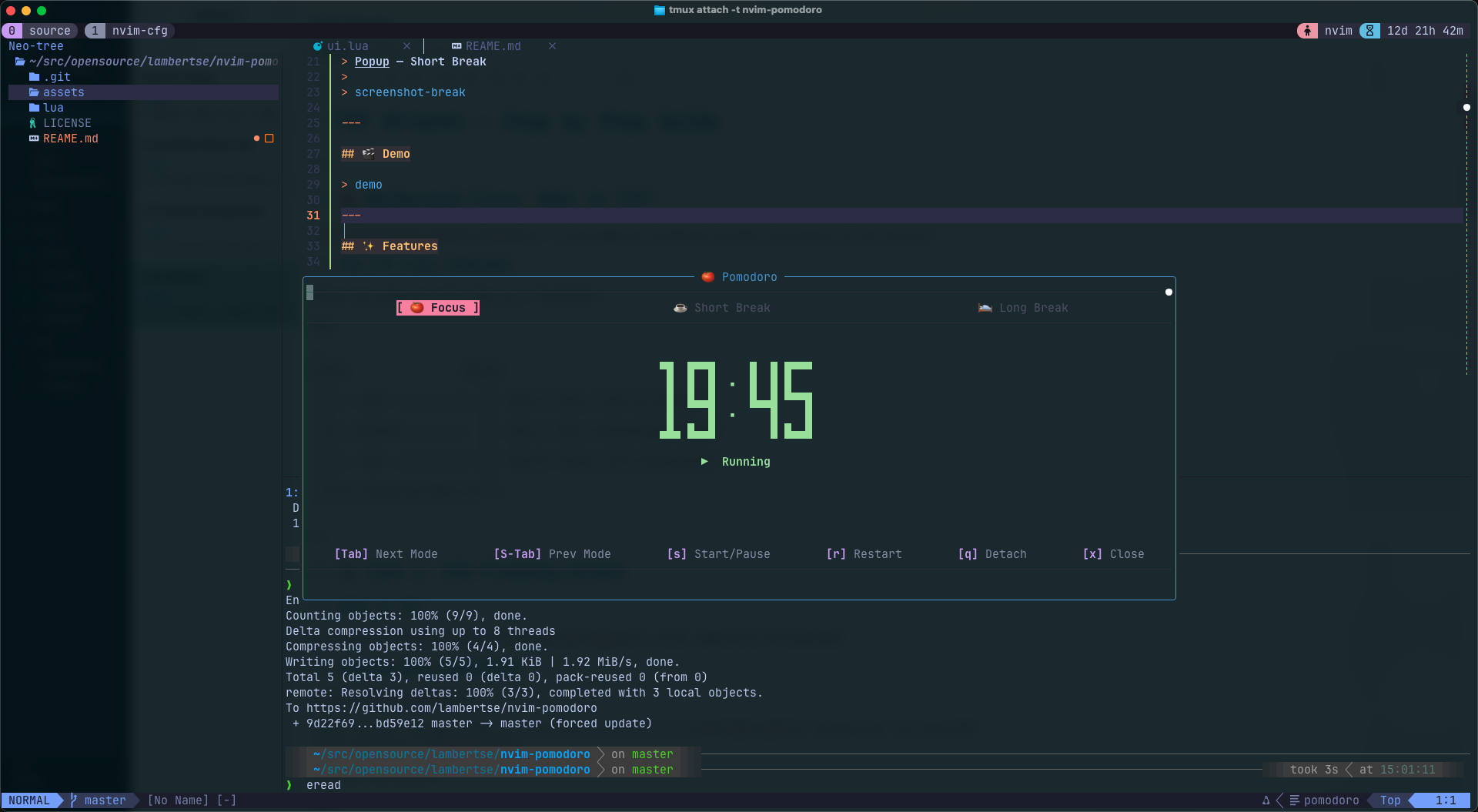
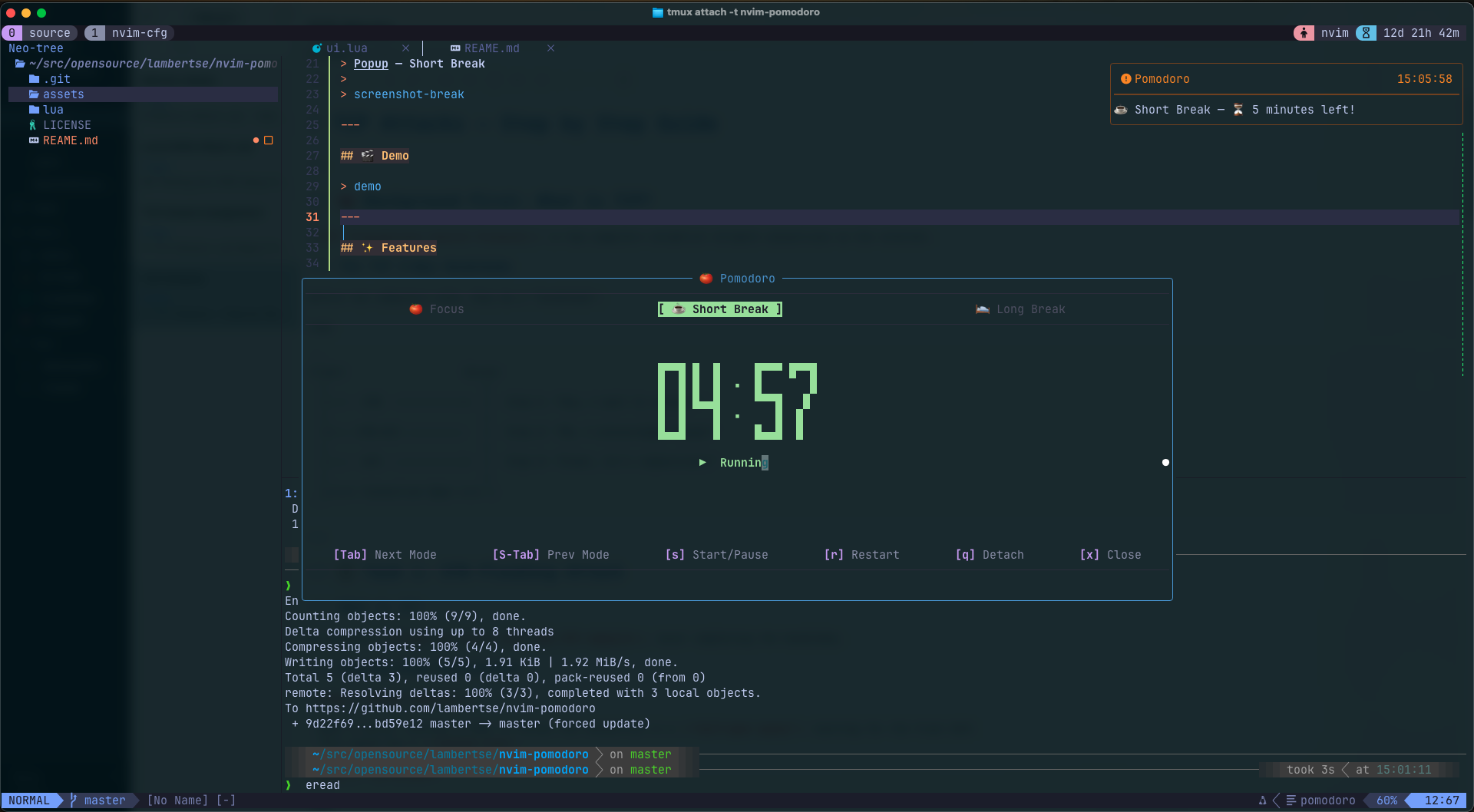
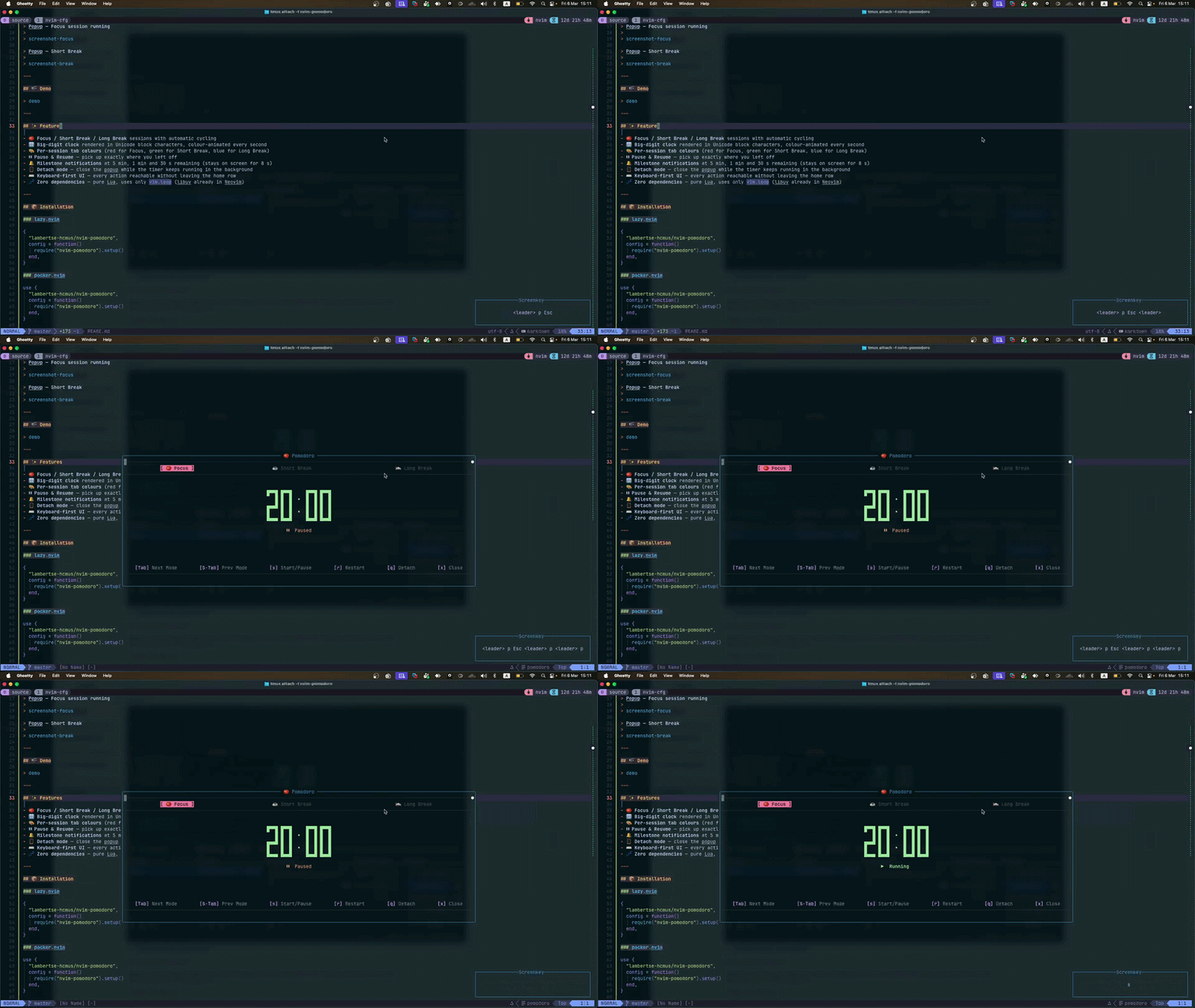
07Installation & Usage
Works with any Neovim plugin manager. Requires Neovim 0.8+.
Lua
{
  "lambertse/nvim-pomodoro",
  config = function()
    require("nvim-pomodoro").setup({
      focus_time               = 25,   -- minutes
      break_time               = 5,
      long_break_time          = 15,
      cycles_before_long_break = 4,
      keymap                   = "<leader>p",
    })
  end,
}
Toggle the popup with :Pomodoro or your configured keymap (<leader>p by default). Press s to start, q to detach (timer keeps running), x to stop completely.
08Future Work
Toggle Terminal
A dependency-free Neovim plugin for a floating terminal with multi-session support - centered on screen, winbar tab bar, persistent buffers, auto-resizing on UI changes.
Vietnamese Card Board Scorer
A mobile-first score tracker for Vietnamese card games like Tiến Lên. Born on the first day of Tết, built to replace paper and pen.
iBridge - IPC messaging & RPC framework
An IPC/RPC framework that bridges processes across language boundaries - a C++ server and a JavaScript client talking to each other over Unix domain sockets and Protocol Buffers, with no shared memory and no native bindings.

Understanding MachO Binary Format
High level architecture of a Mach-O binary. Learned through implementing application support parsing iOS binary.